

软件简介
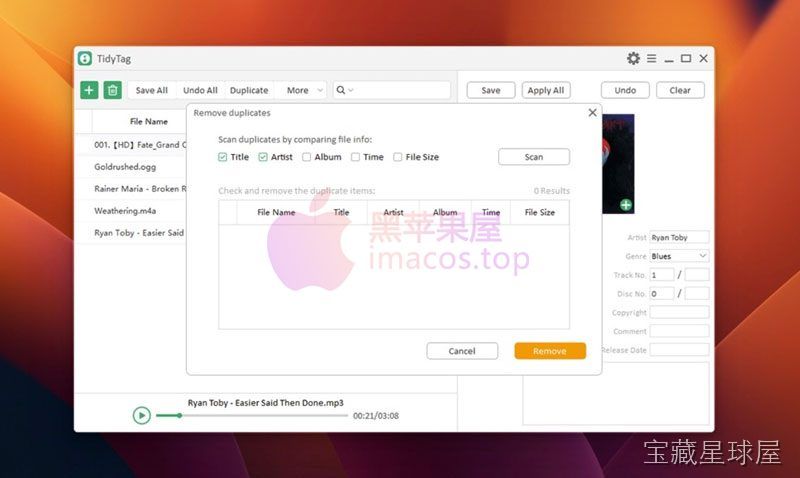
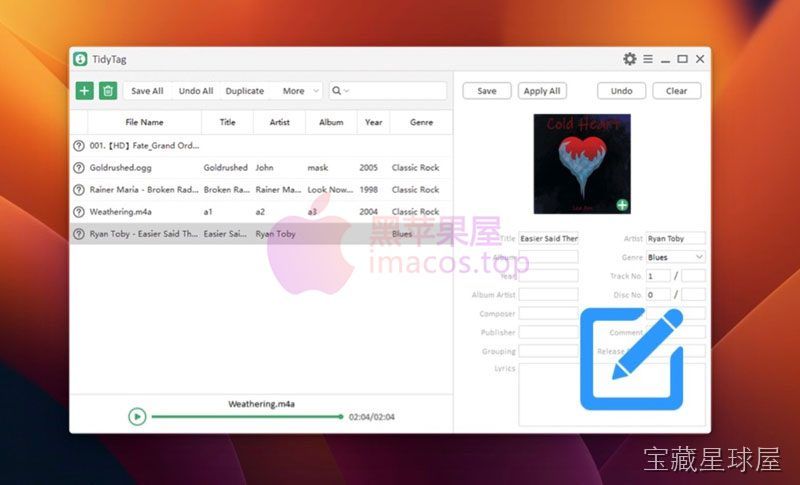
TidyTag Music Tag Editor 是一款音乐元数据管理工具,专门用于编辑、修正和丰富音乐文件的标签信息。它支持批量修改歌手、专辑、曲目号、流派和封面图等内容,解决音乐库中标签缺失或混乱的问题,适合音乐爱好者、DJ 和音频档案管理员使用。
核心功能
- 自动标签检索:连接在线数据库,自动扫描音乐文件并补充缺失的艺术家、专辑、发行年份和流派等信息。
- 批量编辑:对数百甚至上千首曲目统一修改标签,保持整个音乐库的规范一致,节省逐曲编辑的时间。
- 错误修正:自动识别拼写错误的歌手名或标注错误的曲目,维护音乐库的专业性。
- 封面管理:支持自动获取或替换专辑封面,也可批量标准化各专辑的视觉风格。
- 多格式兼容:支持 MP3、FLAC、AAC、WAV 等常用音频格式,适应不同来源的音乐文件。
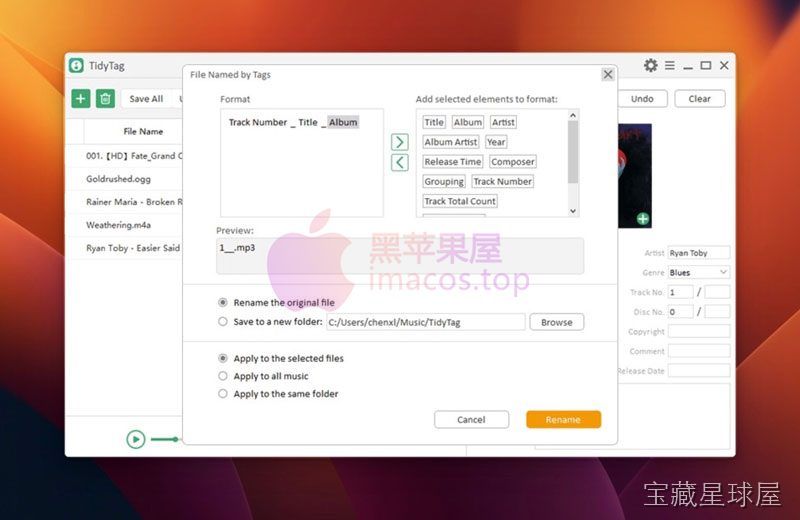
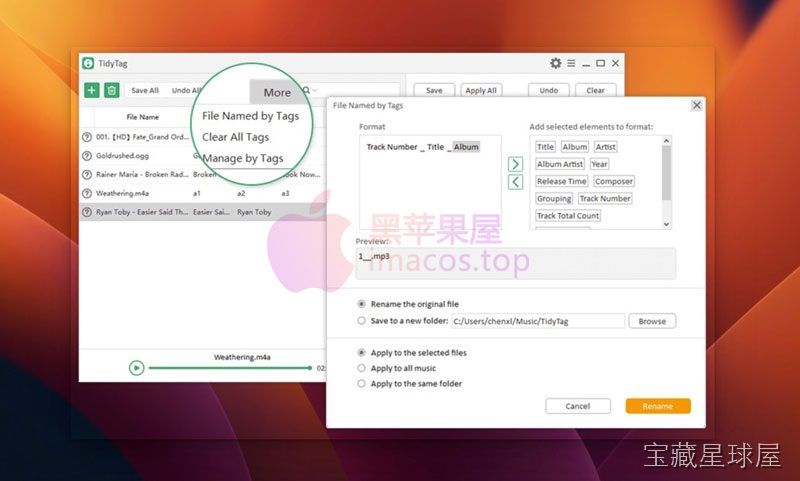
标签格式化、自定义备注、轨道信息排序和批量重命名等功能也一并提供。操作过程中只会修改元数据而不会影响音频本身的音质。预览功能让用户在应用前确认改动结果,避免误操作。
软件信息
| 软件名称 | TidyTag Music Tag Editor |
| 软件原名 | TidyTag Music Tag Editor |
| 版本号 | 2.0.0 |
| 开发者 | iTubeGo |
| 发布日期 | 2026-01-01 |
| 软件类别 | Programs |
| 支持架构 | ARM, x86 (64-bit) |
| 系统要求 | OS X 10.10 and later |
| 兼容性 | OS X 10.10 and later |
| 软件大小 | 23 MB |
安装说明
Mount the image and run Open Gatekeeper friendly.
Press Enter to bypass Gatekeeper in the Terminal window.
Drag the application to the Applications folder.
The application is ready for use.
How to install and activate?
Mount the image and run Open Gatekeeper friendly.Press Enter to bypass Gatekeeper in the Terminal window.Drag the application to the Applications folder.The application is ready for use.ATTENTION! SIP must be disabled. Learn more >
How to disable SIP?
Restart your Mac and hold down Command + R to enter Recovery Mode.Open Terminal from the Utilities menu.Enter the command: csrutil disableRestart your Mac.
The application is damaged and cannot be opened?
This is a common Gatekeeper issue. Follow these steps:1. Open Terminal2. Enter: sudo xattr -rd com.apple.quarantine /Applications/AppName.app3. Replace "AppName" with the actual application name4. Press Enter and enter your password
Mount the image and run Open Gatekeeper friendly.
Press Enter to bypass Gatekeeper in the Terminal window.
Drag the application to the Applications folder.
The application is ready for use.
软件截图
下载链接
夸克网盘(永久有效):https://pan.quark.cn/s/57192a653cad
本站整理发布,仅供学习交流,请在下载后 24 小时内删除,喜欢请支持正版。



























暂无评论内容