Morpholder 1.0.6 文件格式转换工具,通过修改扩展名在访达中直接转换图片视频与音频

软件简介

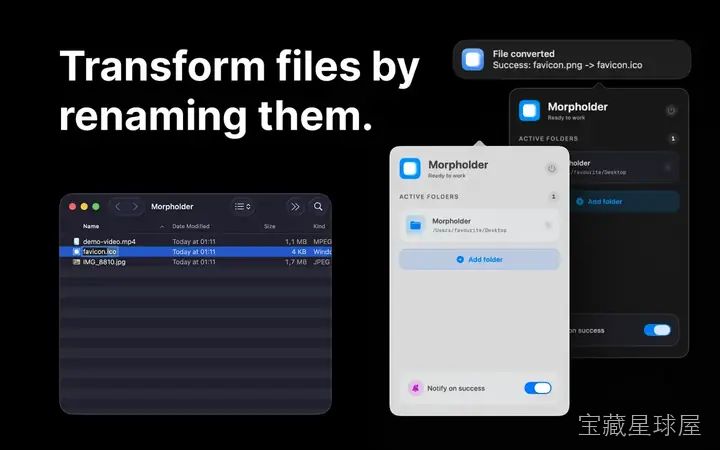
Morpholder 是一款面向 macOS 13 及以上系统的文件格式转换工具。它改变了传统转换流程——用户只需在访达中修改文件扩展名,即可自动完成格式转换,无需打开专业软件或上传至在线服务。适合设计师、视频编辑、开发者等需要频繁处理媒体文件的专业人员。

核心功能

  1. 通过修改扩展名即时转换:直接更改文件后缀(如 .png 改为 .jpg),系统自动调用本地框架完成转换,省去手动选择格式与导出菜单的步骤。
  2. 支持多种常见格式:涵盖 JPG、PNG、HEIC、TIFF、MP4、MOV、GIF、MP3、WAV 和 PDF,满足图片、视频、音频三类文件的基本转换需求。
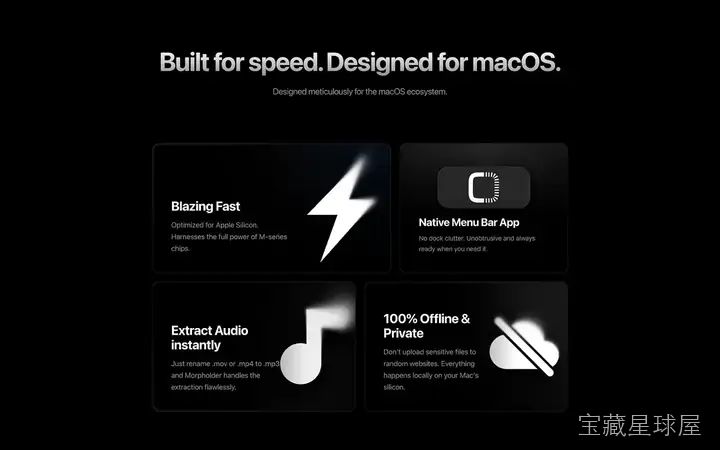
  3. 全程本地处理:所有转换操作在 Mac 本地完成,文件不离开设备,对处理敏感内容的用户尤其友好。
  4. 内置智能自动化工具:支持通过快捷键触发背景移除、图片文字提取、图像压缩、GIF 生成、应用图标制作等附加功能,减少重复性操作。

软件信息

软件名称 Morpholder
软件原名 Morpholder
版本号 1.0.6
开发者 Marat Muslimov
发布日期 2026-05-15
软件类别 Programs
支持架构 ARM, x86 (64-bit)
系统要求 macOS 13 and later
兼容性 macOS 13 and later
软件大小 50 MB

安装说明

Run the downloaded image and drag the application to the Applications folder shortcut.

Once copying is complete, the application can be launched via Launchpad.

How to install and activate?

Mount the image and run Open Gatekeeper friendly.Press Enter to bypass Gatekeeper in the Terminal window.Drag the application to the Applications folder.The application is ready for use.ATTENTION! SIP must be disabled. Learn more >

How to disable SIP?

Restart your Mac and hold down Command + R to enter Recovery Mode.Open Terminal from the Utilities menu.Enter the command: csrutil disableRestart your Mac.

The application is damaged and cannot be opened?

This is a common Gatekeeper issue. Follow these steps:1. Open Terminal2. Enter: sudo xattr -rd com.apple.quarantine /Applications/AppName.app3. Replace "AppName" with the actual application name4. Press Enter and enter your password

Run the downloaded image and drag the application to the Applications folder shortcut.

Once copying is complete, the application can be launched via Launchpad.

软件截图

Morpholder 截图1

下载链接

夸克网盘(永久有效):https://pan.quark.cn/s/188ac14d7fa3

本站整理发布,仅供学习交流,请在下载后 24 小时内删除,喜欢请支持正版。

本站全部免费,如果觉得内容有用,可打赏支持服务器续费打赏支持

固定文章缩略图

新人必看的入站详细说明指南

解决的你的各种疑难杂症以及各种相关教程

前往查看 »
© 版权声明
THE END

喜欢就支持一下吧
点赞20 分享
评论 抢沙发
头像
欢迎您留下宝贵的见解!
提交
头像

昵称

取消
昵称表情代码图片

    暂无评论内容