

软件简介
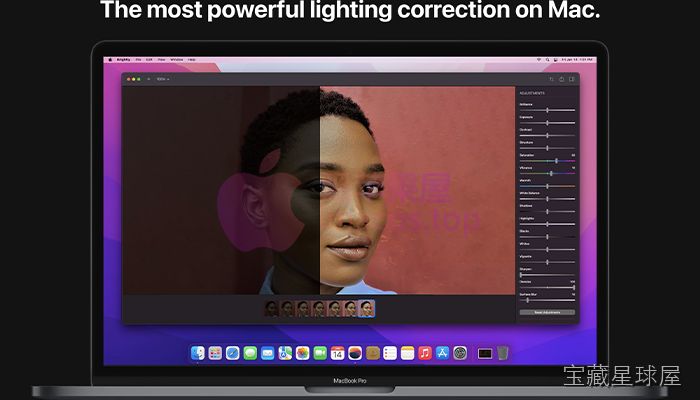
Brightly Pro 是一款面向设计师、营销人员和社交媒体从业者的专业图像增强软件,通过先进算法自动优化图像的亮度、对比度、饱和度和锐度。它简化了传统照片编辑流程,无需手动逐项调整即可获得清晰生动的画面效果,同时支持高分辨率文件和多种格式,兼顾初学者与专业编辑的需求。
核心功能
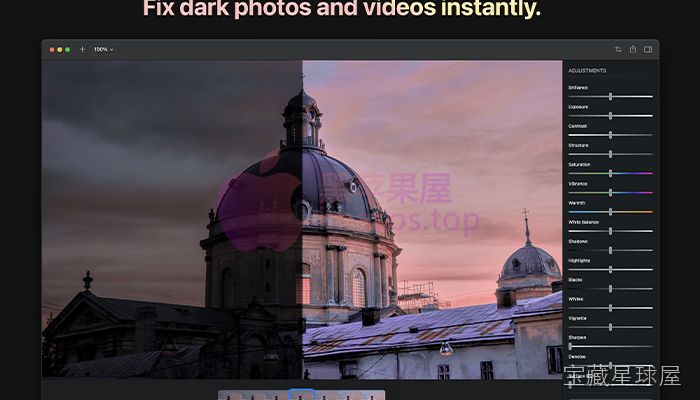
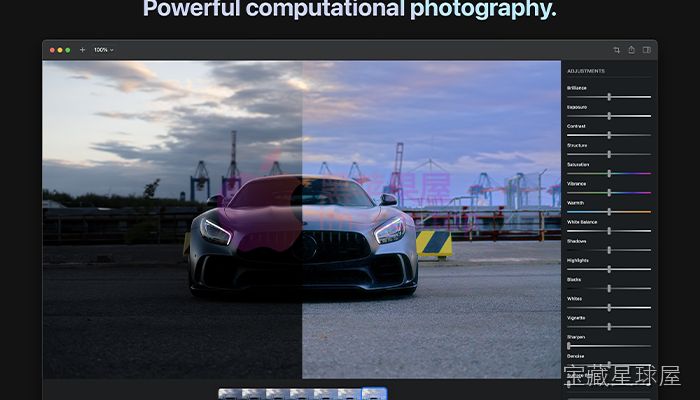
- 自动图像优化:利用算法自动调整曝光、色温、高光和阴影等参数,让照片呈现鲜明且清晰的视觉效果。
- 精细手动控制:提供曝光、色温、高光、阴影等滑块,用户可对每个图像细节进行微调,满足个性化创作要求。
- 一键滤镜与预设:内置多种滤镜和预设风格,适用于社交媒体、营销推广或个人摄影,快速实现特定视觉效果。
- 高分辨率支持:兼容 RAW 文件及标准 JPEG,编辑过程中保留细节和画质,适合专业相机输出的素材。
- 批量处理:一次性对数百张图像应用一致的增强设置,便于摄影师管理大型图库或企业维持统一的视觉风格。
Brightly Pro 还支持自定义预设、色调曲线调整、局部编辑、物体突出、背景增强和降噪等功能,并可与设计工具协同使用。所有图像处理均在本地设备完成,不需要上传云端,有助于保护敏感内容。
软件信息
| 软件名称 | Brightly Pro |
| 软件原名 | Brightly Pro |
| 版本号 | 2.2.1 [MAS] |
| 开发者 | Code Organa LLC |
| 发布日期 | 2026-01-01 |
| 软件类别 | Graphics |
| 支持架构 | ARM, x86 (64-bit) |
| 系统要求 | macOS 10.15 and later |
| 兼容性 | macOS 10.15 and later |
| 软件大小 | 47 MB |
安装说明
Run the downloaded image and drag the application to the Applications folder shortcut.
Once copying is complete, the application can be launched via Launchpad.
How to install and activate?
Mount the image and run Open Gatekeeper friendly.Press Enter to bypass Gatekeeper in the Terminal window.Drag the application to the Applications folder.The application is ready for use.ATTENTION! SIP must be disabled. Learn more >
How to disable SIP?
Restart your Mac and hold down Command + R to enter Recovery Mode.Open Terminal from the Utilities menu.Enter the command: csrutil disableRestart your Mac.
The application is damaged and cannot be opened?
This is a common Gatekeeper issue. Follow these steps:1. Open Terminal2. Enter: sudo xattr -rd com.apple.quarantine /Applications/AppName.app3. Replace "AppName" with the actual application name4. Press Enter and enter your password
Run the downloaded image and drag the application to the Applications folder shortcut.
Once copying is complete, the application can be launched via Launchpad.
下载链接
夸克网盘(永久有效):https://drive.uc.cn/s/805b40afd3cb4?public=1
本站整理发布,仅供学习交流,请在下载后 24 小时内删除,喜欢请支持正版。
软件截图



























暂无评论内容