
软件简介
Batteries 是 macOS 平台上的一款电池电量管理工具,它能把 Mac 以及周边蓝牙设备(例如鼠标、键盘、耳机等)的电量信息统一集中到菜单栏显示。用户无需逐个打开设备设置或查看硬件指示灯,就能在一个下拉面板中快速了解所有设备的剩余电量,适合同时使用多款无线设备、希望随时掌握电量状态的 Mac 用户。
核心功能
- 菜单栏集中显示:所有已连接设备(包括 Mac 内置电池和蓝牙外设)的电量百分比会汇总显示在菜单栏图标中,鼠标点开即可查看每个设备的单独电量状态。
- 低电量提醒:当任一设备的电量低于用户设定的阈值时,系统会推送通知,提醒及时充电,避免设备突然断电影响工作。
- 设备状态概览:支持显示设备的充电状态、已使用时间或剩余使用时间预估,帮助用户判断当前电量的可用时长。
- 界面定制选项:用户可以根据自己的偏好,调整菜单栏图标的显示样式,以及选择是否显示电池百分比数字,适配不同的菜单栏布局。
软件信息
| 软件名称 | Batteries |
| 软件原名 | Batteries |
| 版本号 | 2.3.3 |
| 开发者 | Rony Fadel |
| 发布日期 | 2025-12-29 |
| 软件类别 | Programs |
| 支持架构 | ARM, x86 (64-bit) |
| 系统要求 | macOS 10.15 and later |
| 兼容性 | macOS 10.15 and later |
| 软件大小 | 6 MB |
安装说明
Mount the image and run Open Gatekeeper friendly.
Press Enter to bypass Gatekeeper in the Terminal window.
Drag the application to the Applications folder.
The application is ready for use.
How to install and activate?
Mount the image and run Open Gatekeeper friendly.Press Enter to bypass Gatekeeper in the Terminal window.Drag the application to the Applications folder.The application is ready for use.ATTENTION! SIP must be disabled. Learn more >
How to disable SIP?
Restart your Mac and hold down Command + R to enter Recovery Mode.Open Terminal from the Utilities menu.Enter the command: csrutil disableRestart your Mac.
The application is damaged and cannot be opened?
This is a common Gatekeeper issue. Follow these steps:1. Open Terminal2. Enter: sudo xattr -rd com.apple.quarantine /Applications/AppName.app3. Replace "AppName" with the actual application name4. Press Enter and enter your password
Mount the image and run Open Gatekeeper friendly.
Press Enter to bypass Gatekeeper in the Terminal window.
Drag the application to the Applications folder.
The application is ready for use.
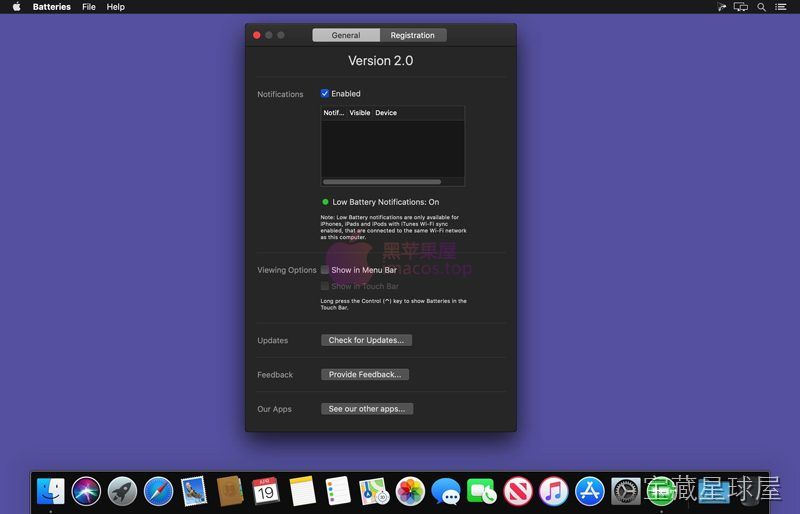
软件截图
下载链接
夸克网盘(永久有效):https://pan.quark.cn/s/37490200bf1e
本站整理发布,仅供学习交流,请在下载后 24 小时内删除,喜欢请支持正版。


























暂无评论内容