

软件简介
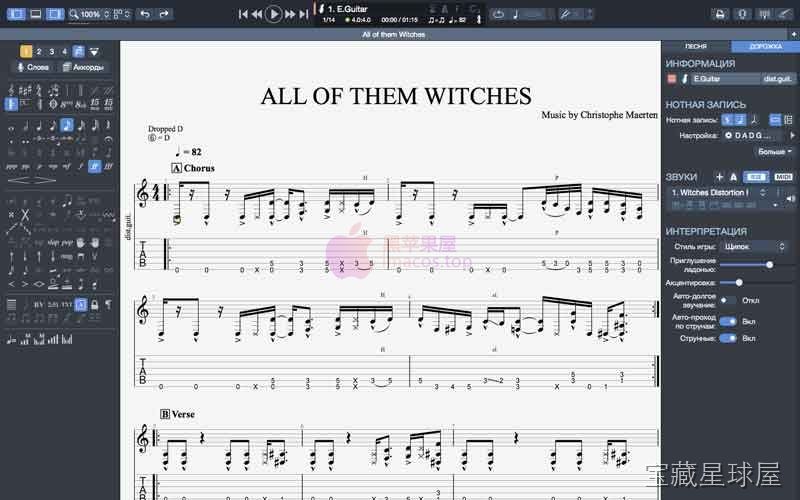
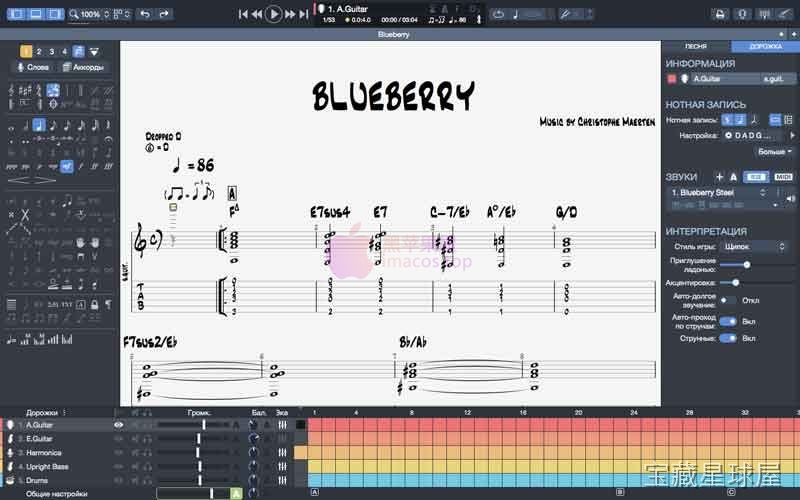
Guitar Pro 8 是一款面向音乐人、作曲者和吉他爱好者的乐谱与指法谱编辑软件。它把多轨谱面创作、真实乐器音色回放和练习辅助工具整合在一起,适合从初学者到专业乐手的各类用户。无论是编写原创歌曲、编排乐队总谱,还是练习复杂段落,这款软件都提供了一个完整的音乐工作环境。
核心功能
- 支持吉他、贝斯及其他弦乐器的乐谱和指法谱创建与编辑,同时可加入鼓组、键盘等多轨编曲,构成完整的乐队级作品。
- 内置高品质音色库,涵盖电吉他、木吉他、鼓及管弦乐器,并可模拟不同放大器、效果器和混音设置,让作曲结果接近真实演奏效果。
- 提供慢速播放、循环片段、自动和弦图示、指法位置显示以及替代演奏建议,帮助用户掌握高难度曲目。
- 内置节拍器和音阶库,支持结构化练习,用于改善时值控制、节奏感和即兴演奏能力。
- 可将作品导出为音频文件、PDF 乐谱以及 Guitar Pro 专用格式,也支持导入和编辑旧版本工程文件,方便与他人共享和交流。
软件信息
| 软件名称 | Guitar Pro 8 |
| 软件原名 | Guitar Pro 8 |
| 版本号 | 8.1.3-121 |
| 开发者 | Arobas Music |
| 发布日期 | 2025-12-29 |
| 软件类别 | Music |
| 支持架构 | ARM, x86 (64-bit) |
| 系统要求 | macOS 10.13 and later |
| 兼容性 | macOS 10.13 and later |
| 软件大小 | 1 GB |
安装说明
Mount the downloaded image and follow the standard installation procedure.
How to install and activate?
Mount the image and run Open Gatekeeper friendly.Press Enter to bypass Gatekeeper in the Terminal window.Drag the application to the Applications folder.The application is ready for use.ATTENTION! SIP must be disabled. Learn more >
How to disable SIP?
Restart your Mac and hold down Command + R to enter Recovery Mode.Open Terminal from the Utilities menu.Enter the command: csrutil disableRestart your Mac.
The application is damaged and cannot be opened?
This is a common Gatekeeper issue. Follow these steps:1. Open Terminal2. Enter: sudo xattr -rd com.apple.quarantine /Applications/AppName.app3. Replace "AppName" with the actual application name4. Press Enter and enter your password
Mount the downloaded image and follow the standard installation procedure.
软件截图
下载链接
夸克网盘(永久有效):https://drive.uc.cn/s/054c280f46794?public=1
本站整理发布,仅供学习交流,请在下载后 24 小时内删除,喜欢请支持正版。


























暂无评论内容