

软件简介
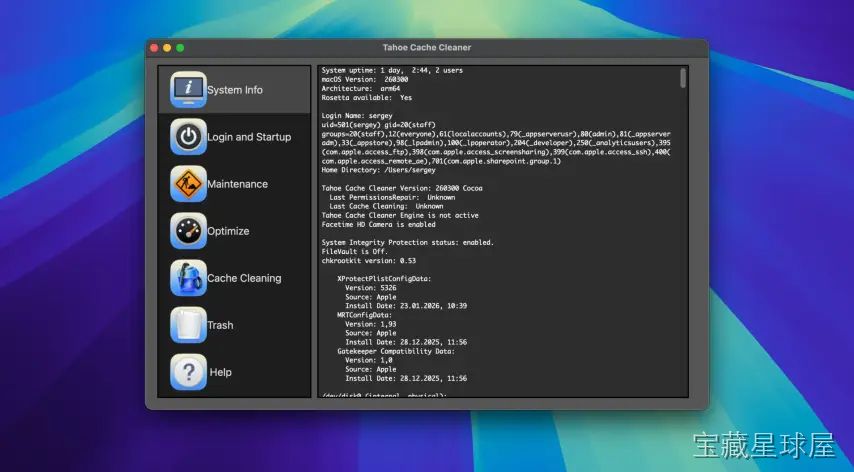
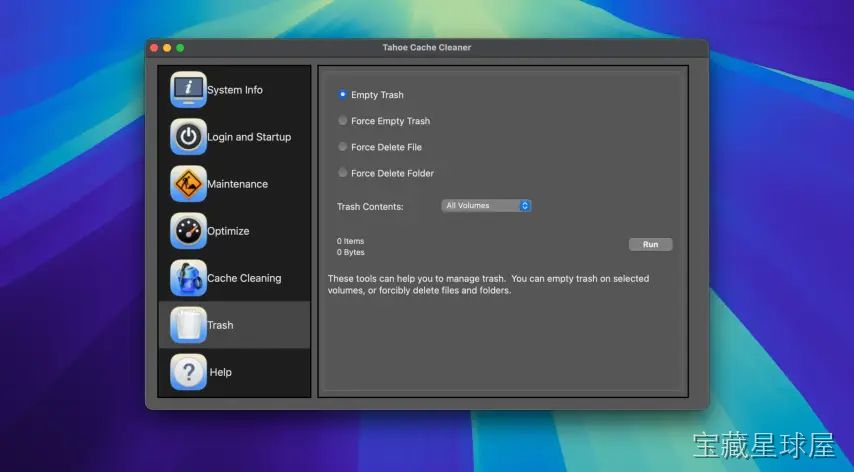
Cache Cleaner 20.1 是一款智能清理工具,专门针对操作系统、应用程序和浏览器积累的缓存文件。它安全地识别并移除无用数字垃圾,释放存储空间,同时确保重要数据不受影响。适合所有技能水平的用户,帮助设备运行更流畅,减少因缓存过多导致的性能下降和软件冲突。
核心功能
- 一键式扫描与清理:用户只需点击几下即可扫描设备,查看可安全删除的内容并执行清理,过程快速高效,几分钟内完成。
- 自定义清理选项:允许选择清除浏览器缓存、系统缓存或特定应用缓存,用户可根据需求在性能优化与数据保留之间取得平衡。
- 性能提升与预防维护:定期清理可减少系统卡顿和崩溃,加快启动速度,提升应用响应能力,长期维护有助于设备健康。
- 批量与定时清理:支持同时管理多台设备,并可设置定期清理计划,无需手动干预,适合办公室或 IT 团队管理多个系统。
- 隐私保护:清除可能包含登录凭证或浏览历史等敏感信息的临时文件,降低未经授权访问的风险。
软件信息
| 软件名称 | Cache Cleaner |
| 软件原名 | Cache Cleaner |
| 版本号 | 20.1 |
| 开发者 | Northern Softworks |
| 发布日期 | 2025-12-29 |
| 软件类别 | Programs |
| 支持架构 | ARM, x86 (64-bit) |
| 系统要求 | macOS 10.14 and later |
| 兼容性 | macOS 10.14 and later |
| 软件大小 | 143 MB |
安装说明
Run the downloaded image and drag the application to the Applications folder shortcut.
Once the copy is complete, you can launch the application from Launchpad.
How to install and activate?
Mount the image and run Open Gatekeeper friendly.Press Enter to bypass Gatekeeper in the Terminal window.Drag the application to the Applications folder.The application is ready for use.ATTENTION! SIP must be disabled. Learn more >
How to disable SIP?
Restart your Mac and hold down Command + R to enter Recovery Mode.Open Terminal from the Utilities menu.Enter the command: csrutil disableRestart your Mac.
The application is damaged and cannot be opened?
This is a common Gatekeeper issue. Follow these steps:1. Open Terminal2. Enter: sudo xattr -rd com.apple.quarantine /Applications/AppName.app3. Replace "AppName" with the actual application name4. Press Enter and enter your password
Run the downloaded image and drag the application to the Applications folder shortcut.
Once the copy is complete, you can launch the application from Launchpad.
软件截图
下载链接
夸克网盘(永久有效):https://drive.uc.cn/s/59d35fb9d22c4?public=1
本站整理发布,仅供学习交流,请在下载后 24 小时内删除,喜欢请支持正版。

























暂无评论内容